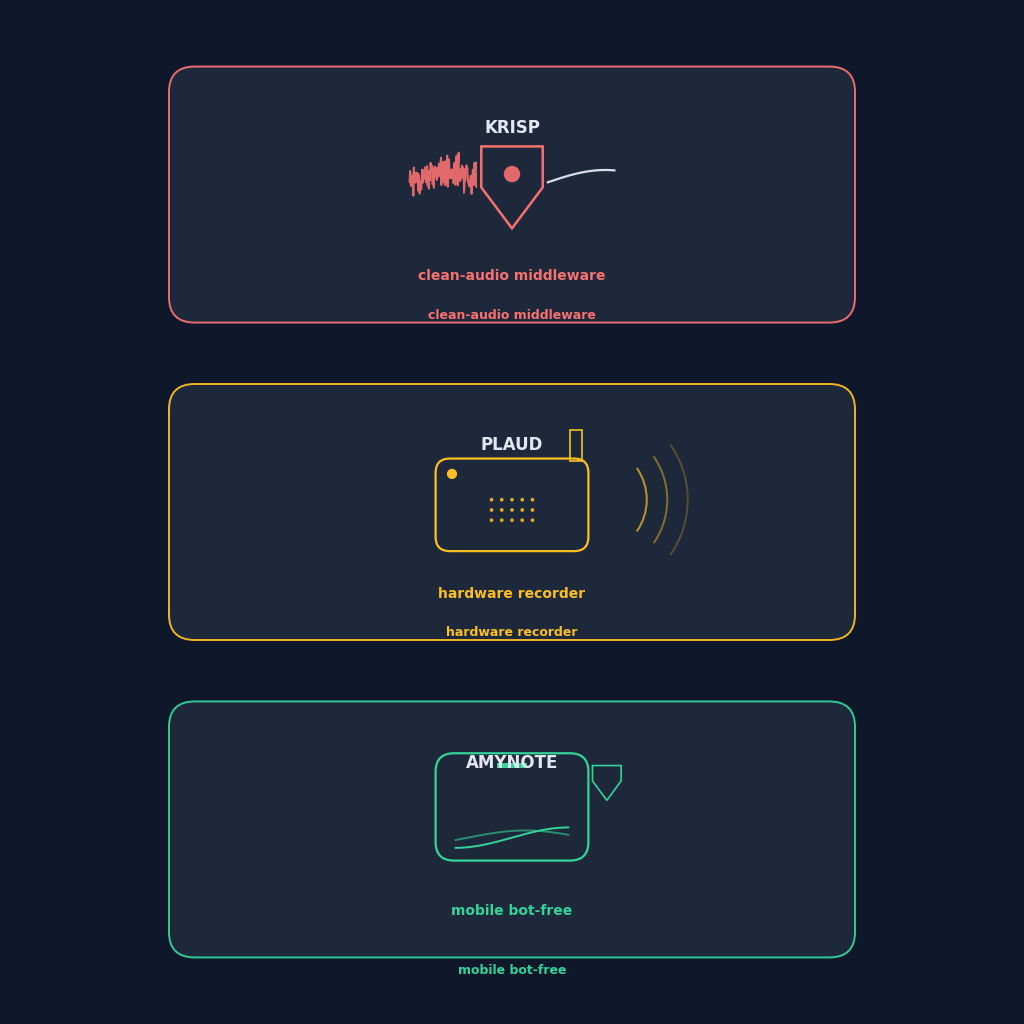
Three products, three completely different theories of how a conversation should be captured. Krisp sits between your microphone and every app you run. Plaud rides on your shirt or your desk as a physical device. AmyNote lives in the phone that is already with you. They all end at the same place — a transcript and a summary — but they start from three different assumptions about where you are when the important talking happens. This is how they compare in 2026, and how to pick the one that matches your day.
Quick Verdict
Krisp is the choice if your day is desk-bound, headset-on, and the noisy office is what breaks your meetings. Its noise-cancellation layer sits between your microphone and every app, and the notes and summaries come along free. Weakness: capture only starts when Krisp is running on a desktop, and the free tier is capped at 60 minutes per day of noise cancellation.
Plaud Note Pro is the choice if a lot of your best conversations happen off-screen: hallways, dinners, client sites, phone calls. A physical clip-on recorder with an ambient mode and a voice mode captures what a laptop cannot. Weakness: $189 hardware up front, plus a subscription for full AI, plus a proprietary charging cable.
AmyNote is the choice if the phone in your pocket is the only thing that is always with you and you refuse to add either a desktop client or a piece of hardware to your kit. Weakness: mobile-first only, no desktop app, no CRM integrations yet.
None of these three sends a bot into a meeting. All three keep you out of the "why is there an Otter Notetaker in this call" conversation. From there, the decision is almost entirely about form factor: a desktop filter, a device you carry, or the phone you already have.
What We Compared
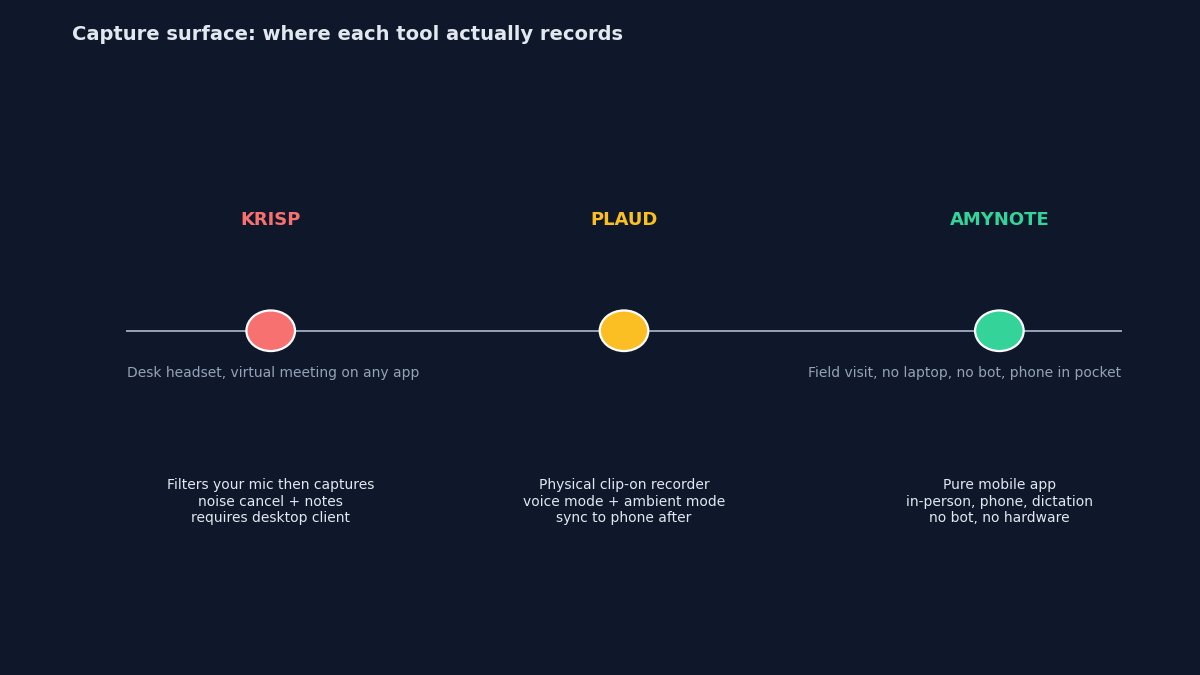
Three products, three completely different form factors. The comparison is not really about accuracy or template variety, it is about where each tool sits in your workflow. Krisp lives on your desktop as a virtual microphone. Plaud lives on your shirt or table as a physical recorder. AmyNote lives in your phone as an app. Same job, radically different surface area.
We looked at how each tool captures audio, what a real year of use costs once you add hardware and subscription together, how many languages it reaches, and where it visibly falls short. Pricing is verified from public plan pages, July 2026.
Krisp: Clean-Audio Middleware That Grew Into a Notetaker
Strengths. Krisp started as noise-cancellation and it shows. Transcription accuracy sits around 96% on clean audio, largely because Krisp cleans the audio before the transcription engine ever hears it. That ordering is the whole trick: most notetakers transcribe whatever the mic picked up, noise included, while Krisp strips the background first and hands the engine a cleaner signal. It is bot-free by design — it records your own microphone, not a bot in the meeting — and the free tier includes unlimited transcription and two AI-generated meeting notes per day.
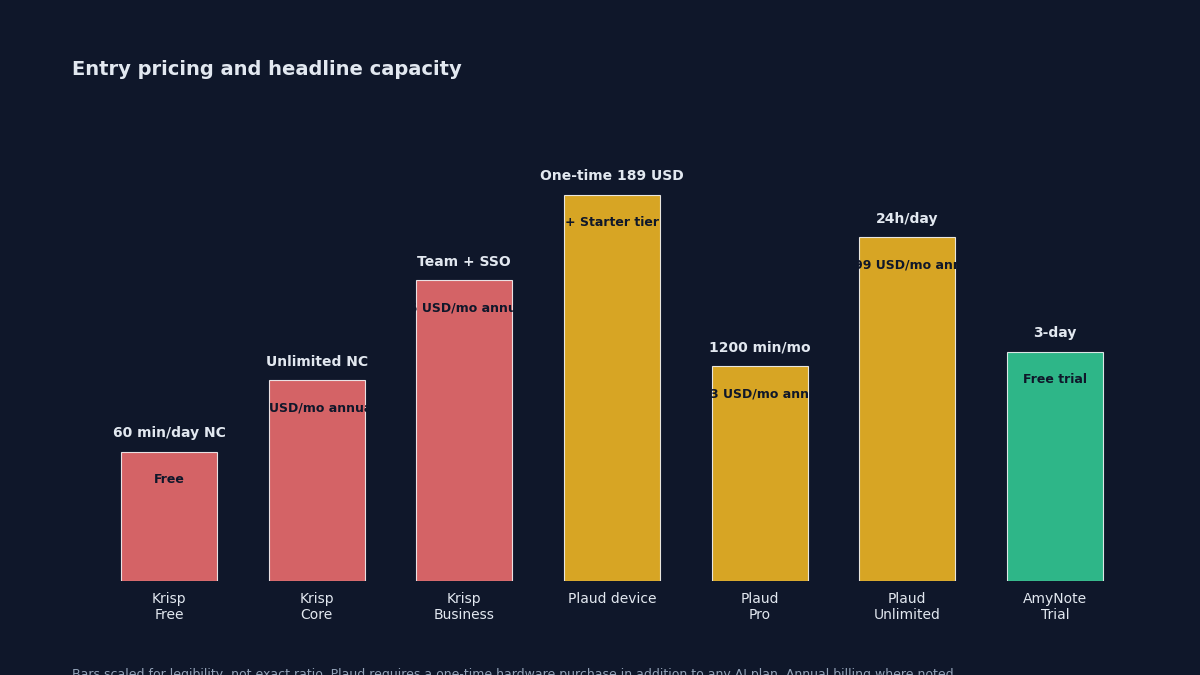
Pricing. Free (60 min/day of noise cancellation, unlimited transcription, 2 AI notes/day). Core $8/user/month annual or $16 monthly (unlimited noise cancellation, unlimited transcription, recording, AI notes, one hour/day of accent conversion). Business $15–30/user/month adding SSO, admin controls, 30GB storage. Enterprise custom with SSO/SCIM and HIPAA.
Weaknesses. Krisp requires the desktop client to be running to capture anything — close the laptop and the capture stops. Accuracy drops to around 85% with heavy accents or dense technical jargon. There is no mobile capture path, and transcripts are stored in the cloud on paid plans. Accent conversion is the flagship differentiator, but if you do not need it, much of the price ladder is spent on a feature you will never turn on.
Plaud Note Pro: Hardware Recorder With a Cloud AI Tail
Strengths. A credit-card-sized clip-on recorder with two capture modes: vibration mode for phone calls (it rides the call audio directly) and ambient mode for in-person conversation. It holds 64 hours of on-device recording, transcribes in 112 languages, and offers 10,000+ summary templates. The compliance stack is genuinely deep — ISO 27001, ISO 27701, GDPR, SOC 2, HIPAA, EN 18031 — which is why regulated buyers keep it on the shortlist.
Pricing. Hardware one-time: $189 for the Note Pro. Then subscription: Starter free (300 transcription minutes/month). Pro $8.33/month annual or $17.99 monthly (1,200 minutes/month). Unlimited $19.99/month annual or $29.99 monthly (up to 24 hours/day). Team $20/user/month annual through August 31, 2026, then $25.
Weaknesses. You have to buy hardware and pay a subscription, so the "entry price" is really $189 plus a recurring plan. The proprietary magnetic charging cable is a repeat complaint, and the Plaud app has had a rough year of connectivity bugs and firmware-side audio gain issues. Enhanced audio mode has been observed clipping words when a speaker turns their head. And the failure mode is the one every hardware product shares: if you forget the device on your desk when you leave for a meeting, you have nothing.
AmyNote: Mobile Bot-Free, No Hardware
Strengths. A pure iOS/Android app. No bot in the meeting, no clip-on device to charge, no desktop client to install. It works for in-person conversations, phone calls, and dictation — anything the phone's microphone can hear. Transcription runs through OpenAI's Speech API, and AI analysis is powered by Anthropic's Claude Opus. Cross-session speaker identification carries names between meetings, so recurring participants get recognized without re-training, and the app reaches 120+ languages with real-time translation.
Pricing. A 3-day free trial, no credit card, then a simple subscription with no ladder of minute caps. There is no "you have used 300 of your 1,200 minutes" meter, and no hardware line item.
Privacy. Both OpenAI and Anthropic contractually guarantee zero training on user data. Audio is encrypted in transit and not retained after processing. Transcripts are stored locally on the device with end-to-end encryption.
Weaknesses (honest). It is mobile-first with no desktop app, so a headset-on knowledge worker in a noisy office gets no help with call quality — and Krisp is genuinely better there. There is no CRM integration, no dedicated hardware form factor for pocket-clip capture, and the brand is smaller than the other two. If your problem is specifically "my desktop mic sounds bad on Zoom," AmyNote is not the tool for it.
Side-by-Side Comparison
- Form factor. Krisp: desktop client + virtual mic. Plaud: hardware clip-on + companion app. AmyNote: mobile app only.
- Where it captures. Krisp: your desktop microphone in any meeting app. Plaud: physical microphone anywhere the device goes. AmyNote: phone microphone in person or on calls.
- Free tier. Krisp: 60 min/day noise cancel + unlimited transcription + 2 notes/day. Plaud: 300 min/month bundled with hardware. AmyNote: 3-day full trial, no credit card.
- Entry price to fully unlock. Krisp: $8/user/month annual. Plaud: $189 hardware + $8.33/month annual. AmyNote: subscription after trial.
- In-person meetings without your laptop. Krisp: no. Plaud: yes, if you brought the device. AmyNote: yes, phone in pocket.
- Noise cancellation for your own mic. Krisp: flagship feature. Plaud: hardware-side beamforming only. AmyNote: relies on device mic and OpenAI's cleanup.
- Language reach. Krisp: strong on English and major languages. Plaud: 112 languages. AmyNote: 120+ languages with real-time translation.
- Privacy story. Krisp: cloud storage of transcripts on paid tiers, HIPAA on Enterprise. Plaud: SOC 2, ISO 27001, GDPR, HIPAA on Team. AmyNote: local storage on device, zero-training contracts with both AI providers.
- Biggest single risk. Krisp: only works when the desktop client is on. Plaud: you can leave the hardware behind. AmyNote: no desktop story for headset-heavy call centers.
The Bottom Line
These three tools sit in three different places in your workflow, and the honest answer is that most people who compare them are choosing between form factors, not features. Accuracy, template counts, and summary quality have converged enough that they are rarely the deciding factor. Where you physically are when the conversation starts is.
If your work is a headset and a screen, Krisp cleans your audio and takes the notes on the side. If your best conversations are the ones no bot can join — and you are willing to carry and charge a device to catch them — Plaud captures them on a recorder you clip to your shirt. If your phone is the only thing that is always with you and you would rather not add hardware or a desktop client, that is where AmyNote lives.
Try amynote.app with the 3-day trial and see whether a pure mobile app covers the meetings you actually have. Transcription by OpenAI, AI analysis by Anthropic Claude Opus, zero-training contracts on both, all transcripts stored locally. No credit card, no hardware to wait for in the mail.
Originally published as an X Article by @AmyNoteApp.